In this story
A browser can receive a small HTML file and still take time to show a useful page. Download size matters, but so does the work the page asks the browser to do next.
Think about the first screen as a sequence of dependencies. The browser needs content, the rules that style it, the geometry of the visible elements, and the instructions to paint them. Scripts can add more work or change what has already been calculated.
Content has to become a page
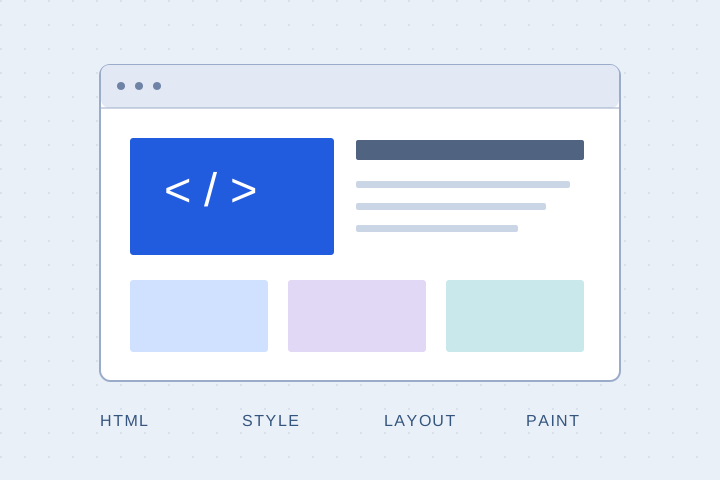
The browser parses HTML into a document structure. Styles determine how elements should appear. Layout works out sizes and positions, and painting produces the visual output. The actual implementation includes more detail, but this sequence is a useful place to start.
Google’s critical rendering path guide (opens in a new tab) describes the work connecting HTML, CSS, and JavaScript to rendered pixels. Some resources sit on the path to the first useful render; others can wait.
Ask which work is urgent
An article’s heading and text are useful before a search panel opens or an interactive chart starts. If every part of the page waits on the same scripts, the text ends up paying for the chart.
On a content-heavy site, render the reading experience directly in HTML. Add JavaScript to the components that need it. Readers should still get the article if a chart fails to initialize.
Reserve the space
An image that arrives without reserved space can move the text around it. Declaring its dimensions lets the browser account for its shape before the bytes finish loading. Fonts can also change text geometry when their metrics differ from the fallback.
For example, an image with a 3:2 aspect ratio needs 200 pixels of height when displayed at 300 pixels wide. Reserving that space before it loads keeps the text below it from being pushed down. Google’s guide to layout shifts (opens in a new tab) explains how image dimensions help the browser reserve space.
Inspect a real load
Use the browser’s performance tools with a realistic network and device profile. Look for long tasks, late-discovered resources, and work that repeats after scripts change the page. Check a fresh visit as well as a cached one.
What matters is when someone can comfortably read and use the page. Finishing the download is just one step on the way.